What it does, screen by screen.
SnapPOS is built for the shop that has one to six registers and no IT department. Everything below is in the product today — nothing here is coming soon.
Open, sell, close
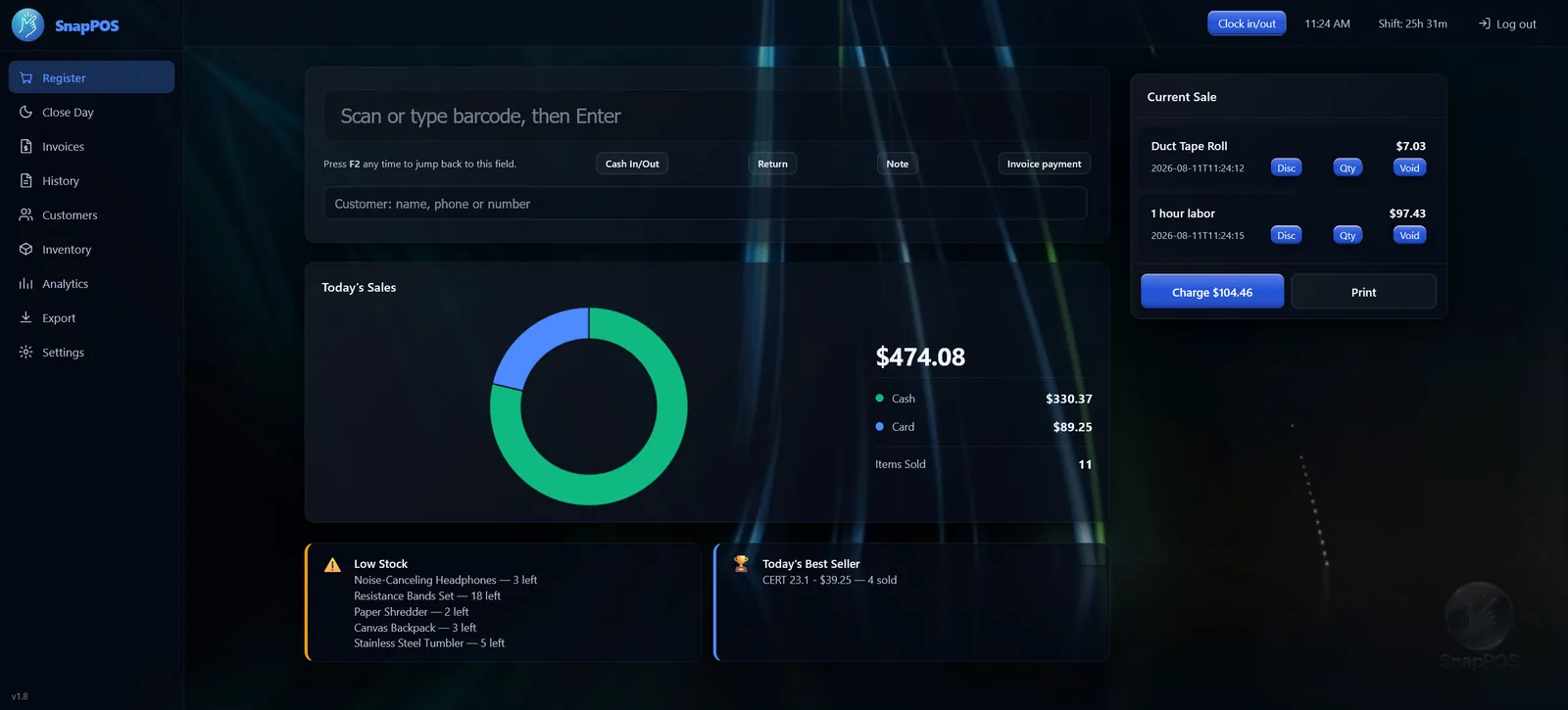
The register
Scan an item or type its barcode. Change a quantity, apply a dollar or percent discount, void a line before payment. Press F2 from anywhere to jump back to the scan box.
- Tap Charge, then pick cash, card, store credit or on account
- Split a payment across tenders — the remaining balance counts down to zero
- Selling below zero is blocked on purpose, so counts stay honest
- Scan something unknown and add it mid-sale
Returns, cash movements and close
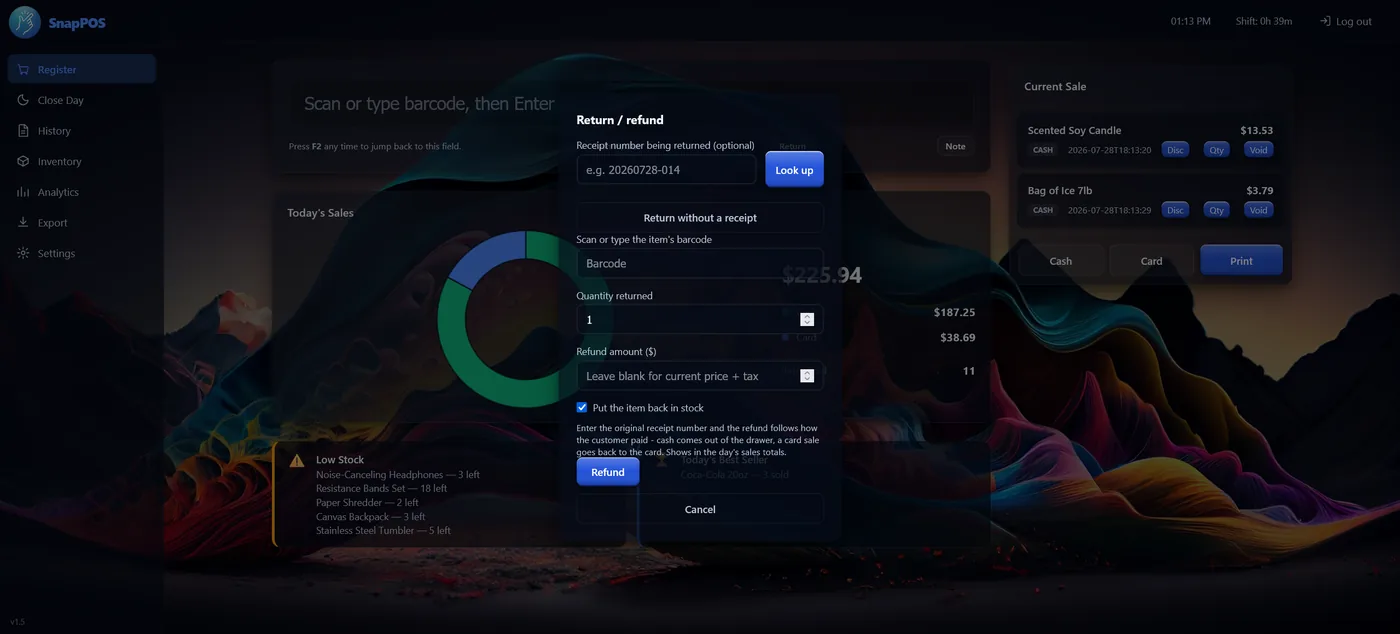
Look a sale up by receipt number and take back some or all of it. The refund follows how they paid — a card sale goes back to the card, cash comes out of the drawer — and amounts come from the original sale, not today's shelf price.
- Return without a receipt when there isn't one
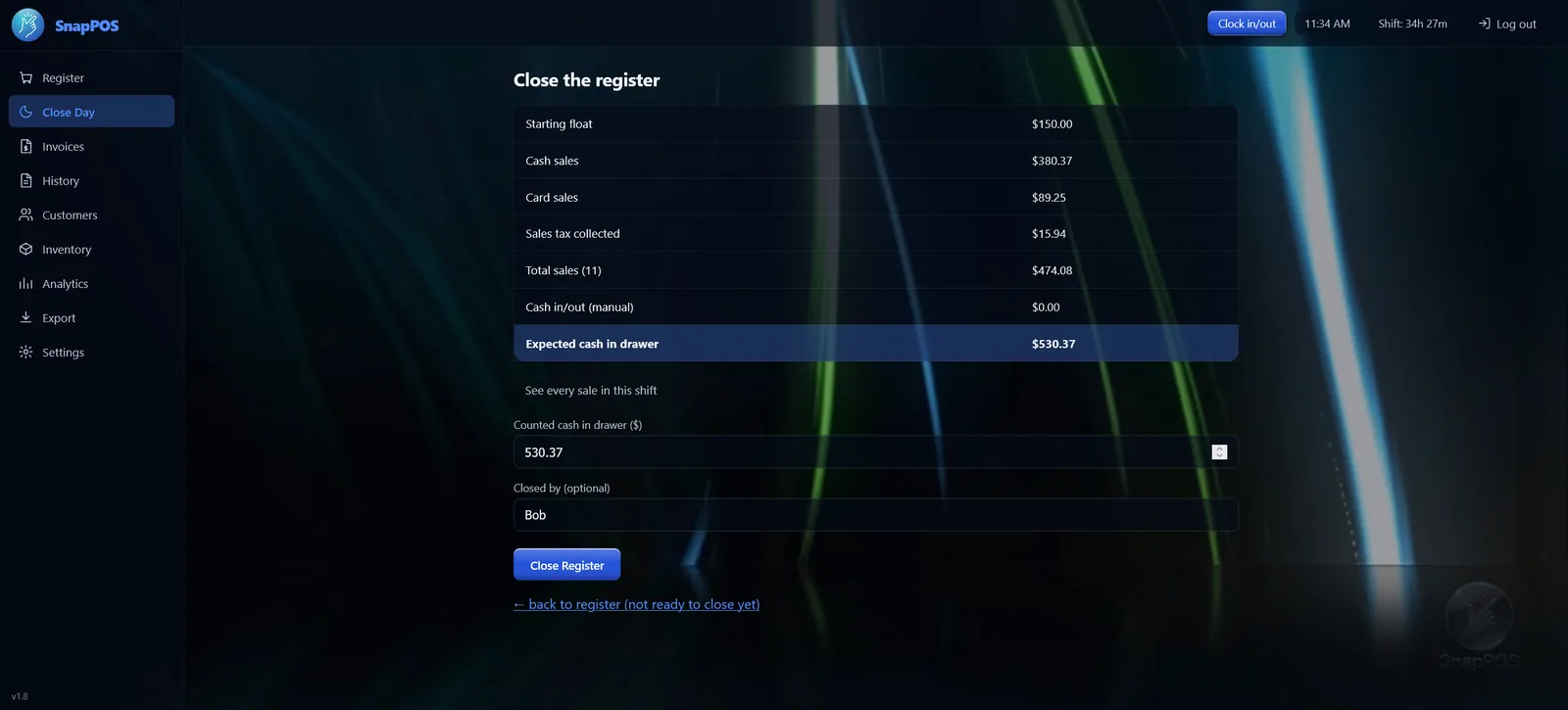
- Cash in and out for change runs and petty cash
- At close, count the drawer and SnapPOS shows expected, actual and variance
- Closed early by mistake? Reopen the shift and carry on — the takings and the float pick up where they left off
Inventory that stays accurate
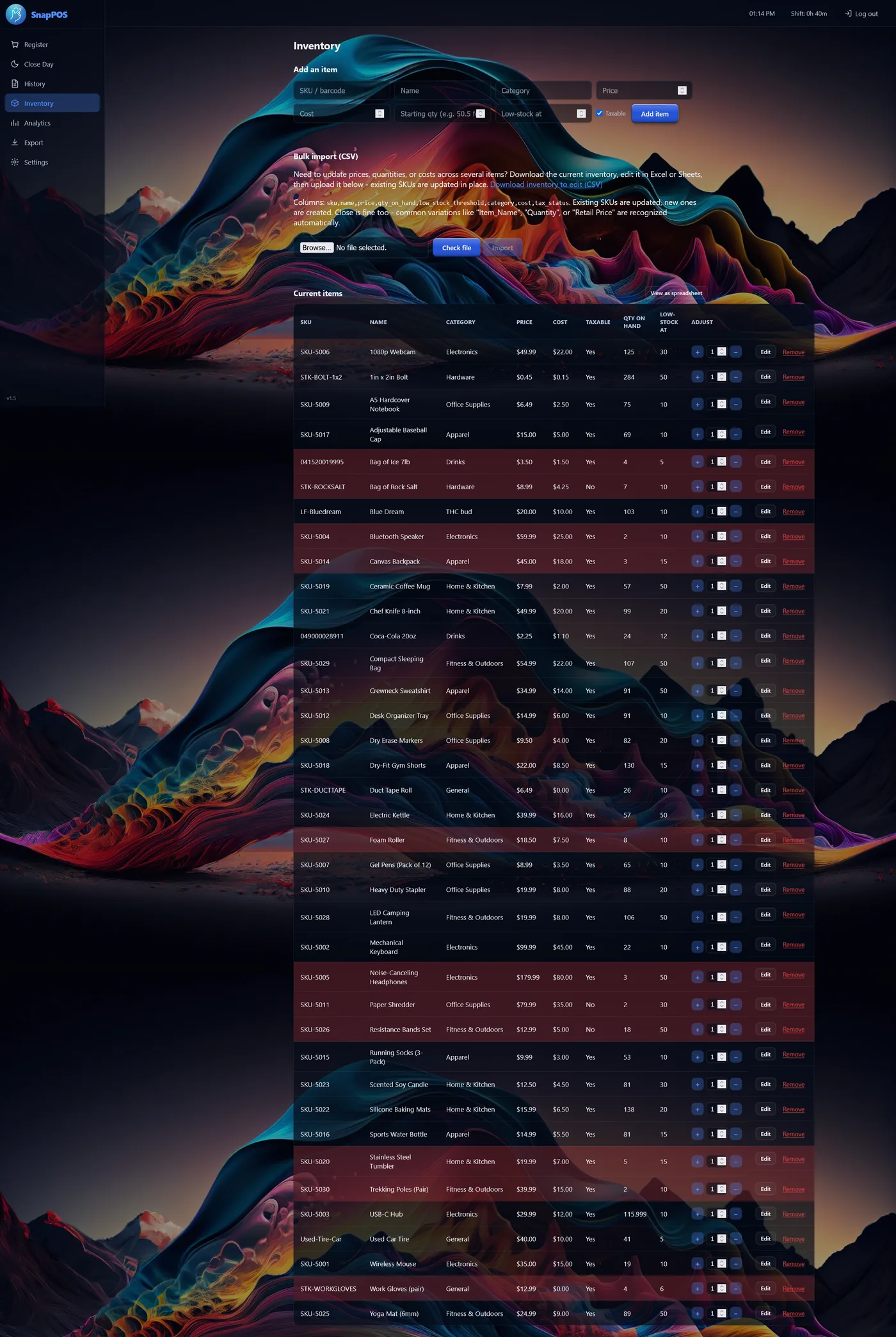
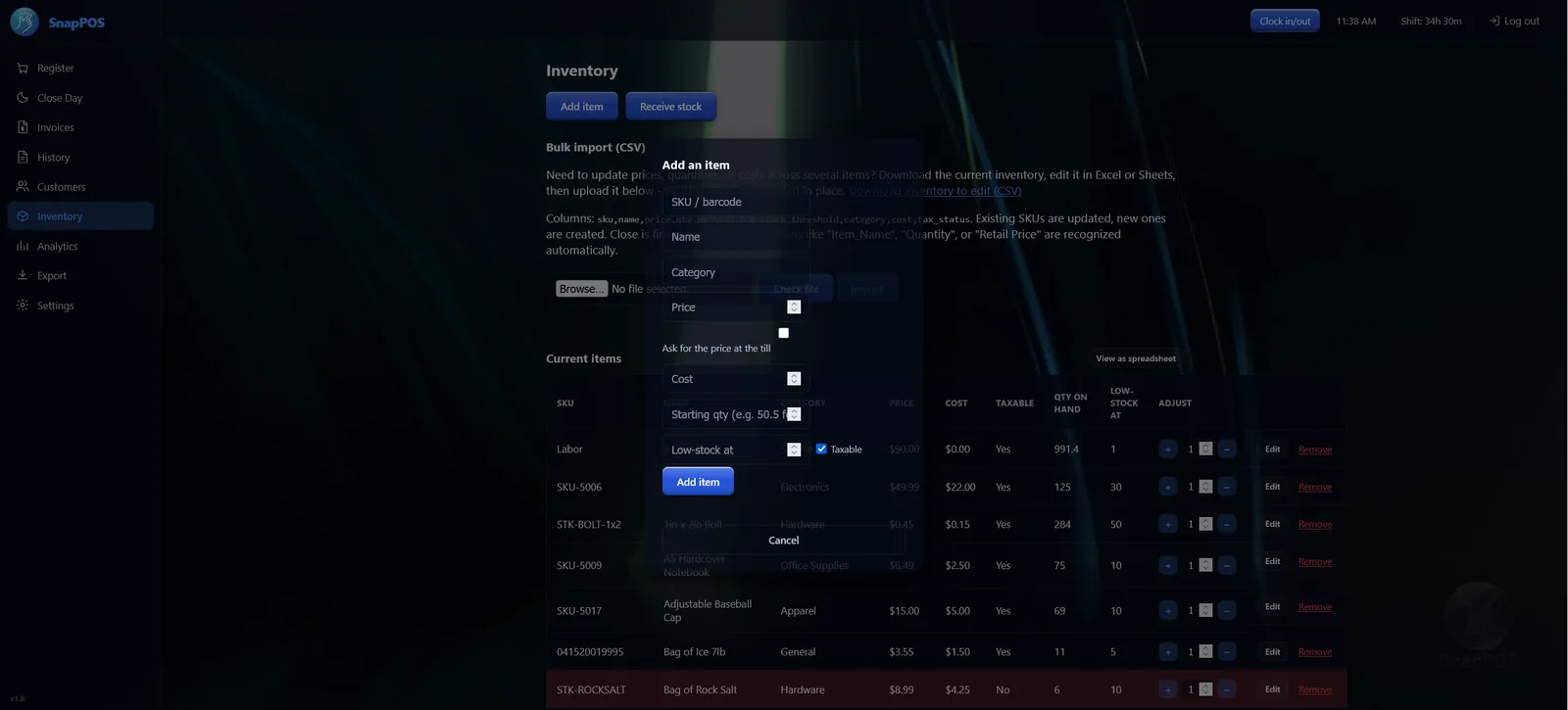
Add items by hand or import a spreadsheet — SnapPOS recognises common column names in English and Spanish, updates existing SKUs and creates new ones.
- Receive stock as deliveries arrive
- Low-stock levels per item, flagged and alertable
- Quick +/− stepper on every row, or edit as a spreadsheet
- Ask for the price at the register, for anything sold loose or by the job
- Removing an item keeps its sales history
Smart Order
Stock levels tell you what is low. Smart Order tells you what is about to run out, by reading how fast each item has actually been selling — so a slow mover with two left is left alone and a fast one with ten on the shelf is flagged.
- Grouped by supplier, so it reads as one order per vendor
- On hand, sales rate and a suggested quantity on every line
- Change the cover from the default two weeks to match how you buy
- Print the list for the supplier
History, analytics and export
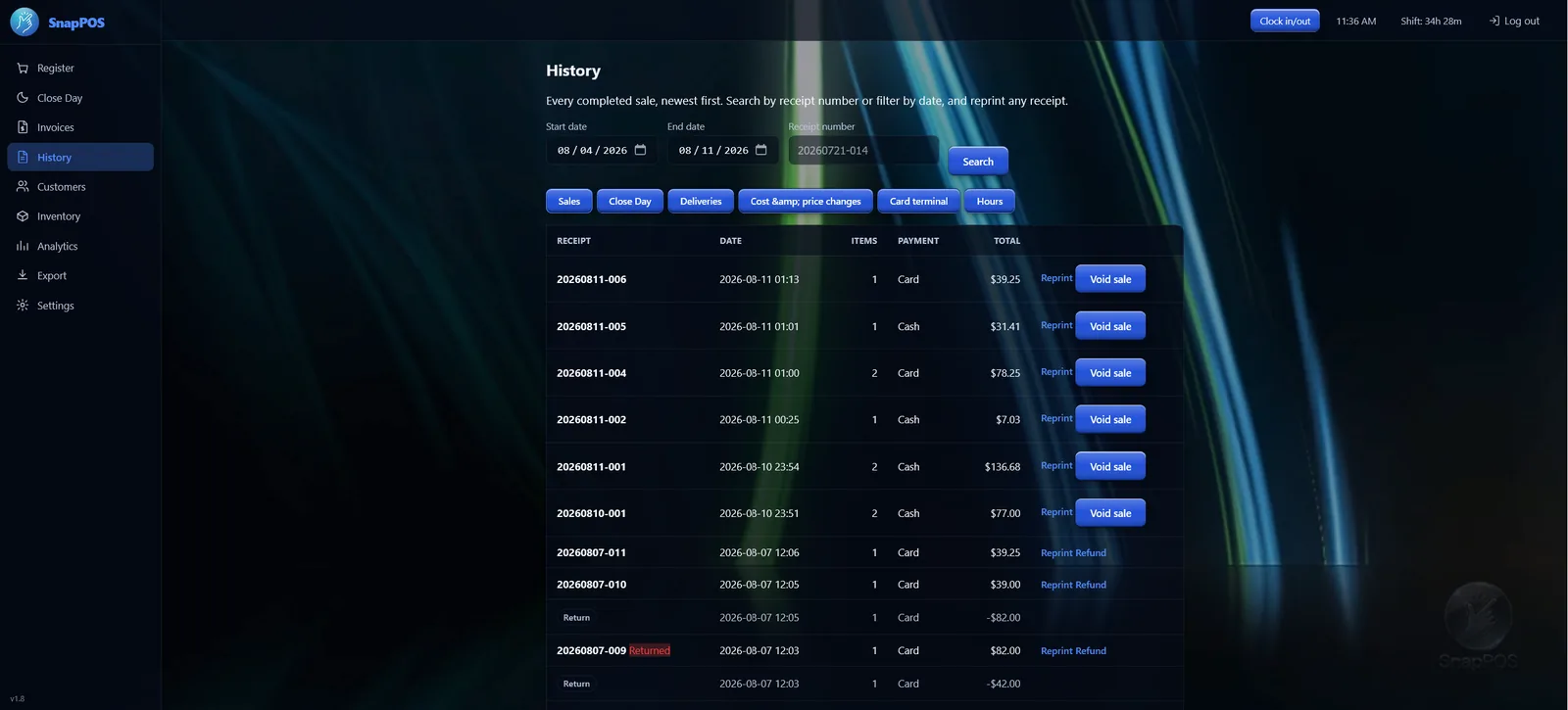
Every completed sale, newest first, searchable by receipt number or date range. Reprint any receipt — it's rebuilt from the saved sale, so it always matches.
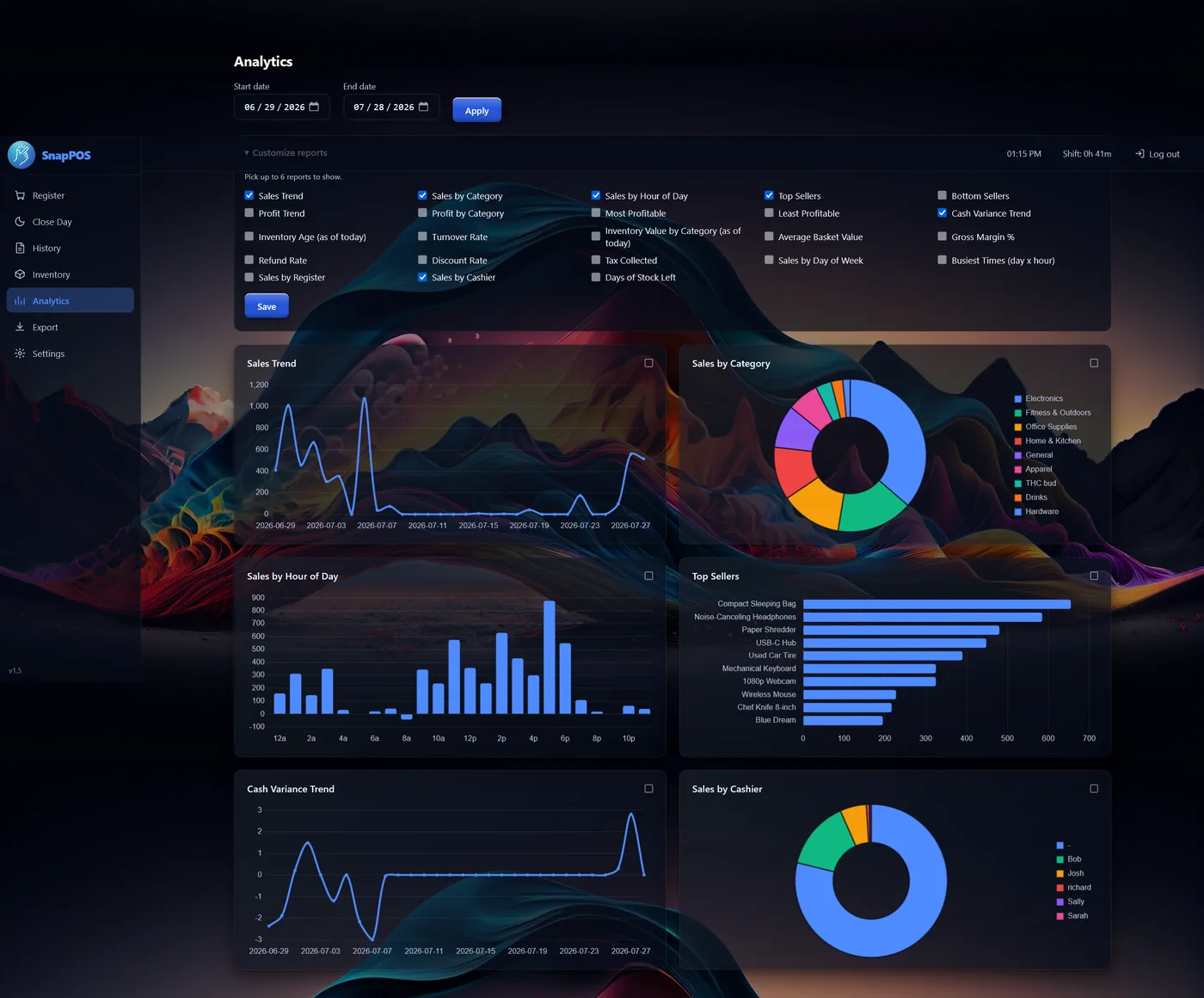
- Sales trend, sales by category, sales by hour, top sellers
- Choose which reports appear, up to six at a time
- CSV export: itemised sales, shift summaries, inventory snapshot
- Takings broken down by customer, with everyone else totalled as Walk-ins
- Today's Sales splits cash, card and store credit, and counts the day's refunds
- One-click backup of the whole business, and SnapPOS can email itself a copy to you nightly or weekly — so a dead hard drive costs you a day, not the year
For shops that bill, reward and roster
Everything above is in Core. These come with Pro, for shops doing work on account, running a rewards scheme, or tracking staff hours.
Customers, quotes & invoices
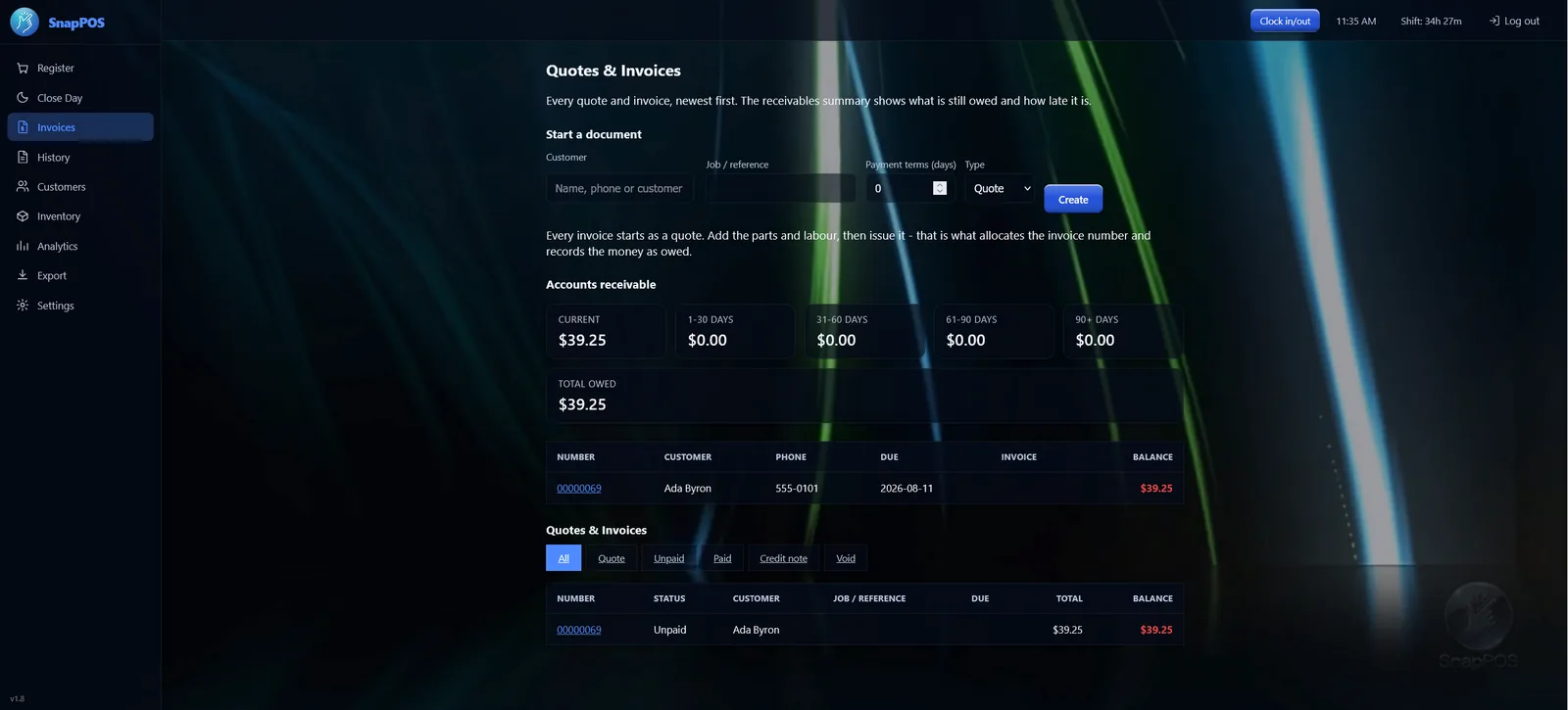
Customer records with purchase history, attached to a sale from a lookup box under the scan field. Quotes become invoices when you send them — that's the moment stock moves and the money is owed.
- Accounts receivable, aged into current, 30, 60 and 90+ days
- Deposits, part payments, statements and credit notes
- Recurring plans that raise a draft invoice on schedule
- On Account money is owed, not taken — so it never inflates the drawer at close
Loyalty & stamp cards
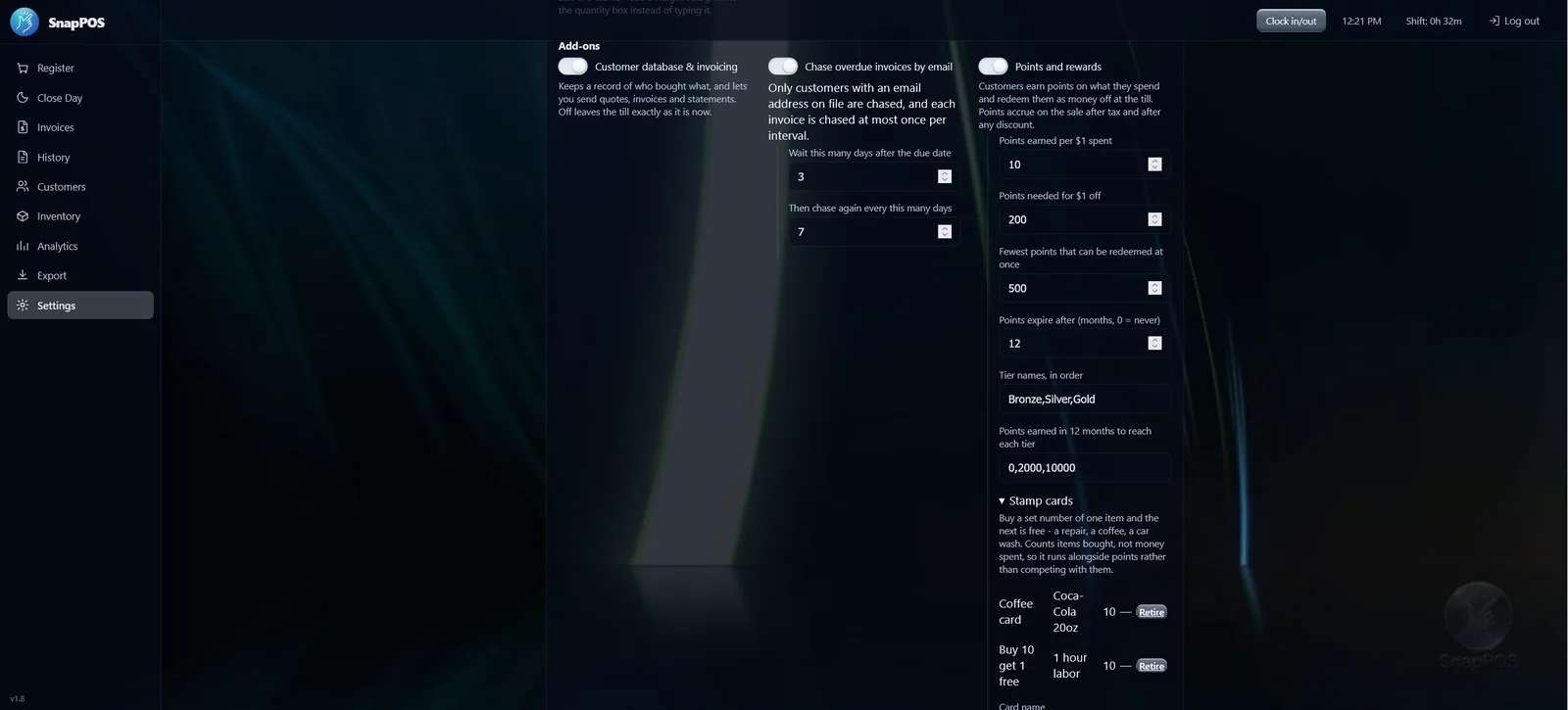
Points on what a customer spends, redeemed as money off at the register. Balances, expiry and tiers you set yourself.
Stamp cards run alongside — buy ten, the eleventh is free — counting a particular item rather than money, for a repair, a coffee or a car wash.
Store credit & gift certificates
Part of Customers & Invoicing — not a separate add-on.
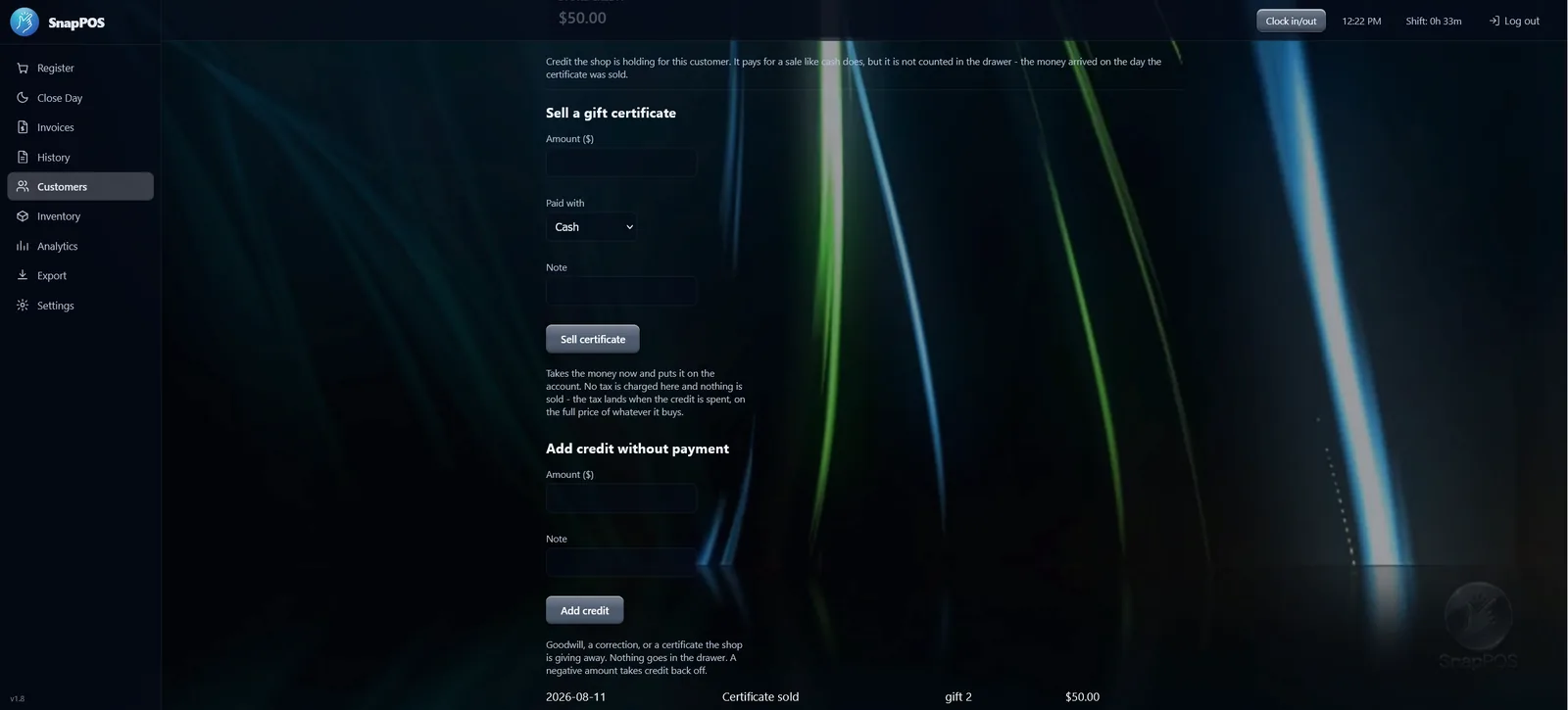
Money the shop is holding rather than money it has earned, and treated that way: selling a certificate charges no tax and books no sale.
It's a tender at the register like any other, so a refund to store credit takes one tap.
Timecards
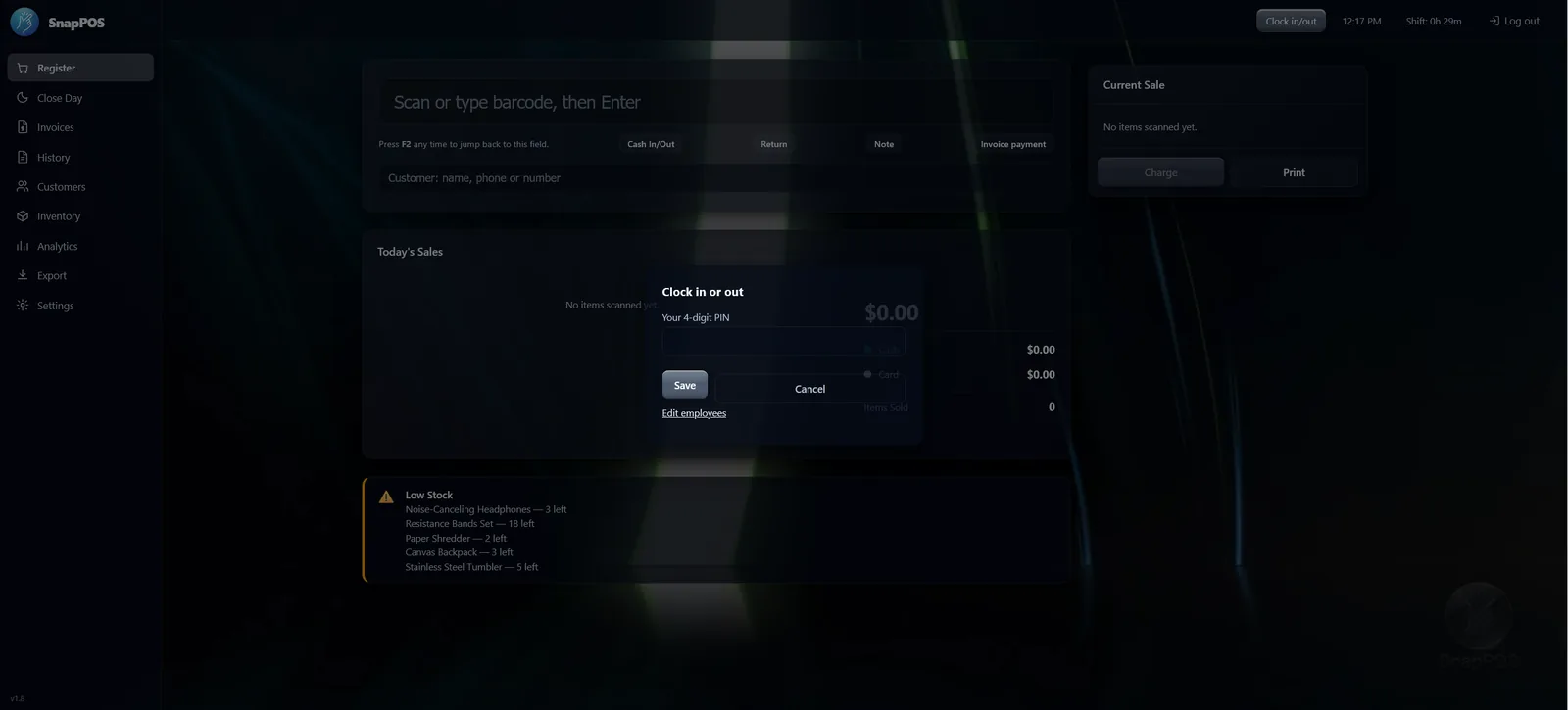
Staff clock in and out with a PIN, from a button beside the clock. The POS works out the direction from the last punch, so nobody stays clocked in for three days.
Hours appear in History and come out with the rest of the day's records.
Manager Override
Some things move money without a sale behind them — a refund, cash out of the drawer, a discount, a price change. Manager Override puts a manager's PIN in front of those, so they are decided by someone with the authority rather than whoever is at the register.
Every approval is logged with who approved what, and when.
- Covers refunds, cash in and out, no sale, discounts and price changes
- Also gates creating or editing staff, so nobody promotes themselves
- An optional grace window, so clearing a queue of returns is not four PINs
- Switch it off for the days you need it out of the way
Pro is $699 once — Core plus all four add-ons. Core is $499, and any single add-on is $99.
Compare Core and Pro Get a quoteMore registers, and cards on your terms
Up to six registers, one inventory
Each register keeps its own cash drawer and shift while sharing one live stock list, so it doesn't matter which counter sells the last one. A second register is another device on your shop network — a PC, a tablet, or an Android phone.
That second device earns its keep two ways: as another register at the busy hour, or walking the shelves as a stock scanner without tying up the counter.
Core covers 3 registers. Pro covers 6. Compare the two.
Card payments, your processor
Integrated card payments are standard — not a paid upgrade — and run through a terminal on your own network. Surcharging, batch close and offline store-and-forward are all available.
See it running with your own products
A live walkthrough beats a feature list. We'll load a few of your items and show you the parts that matter for your shop.
Or send your item list ahead — a spreadsheet, or a photo of a shelf-label sheet — and we will have it loaded before the call. Send my item list.