Any device. Any operating system.
SnapPOS runs on a Windows, Mac or Linux computer, an Android tablet or phone, or any device on the shop network with a web browser. Scanners type in like a keyboard and receipts go to an ordinary receipt printer, so the question is rarely "is it on an approved list." It's whether your device already knows how to use it.
On a single Android tablet, the SnapPOS Android app runs the whole register — made for food trucks and one-register counters.
Starting from nothing? We'll supply the whole counter.
A complete POS bundle — computer or tablet, monitor, keyboard, mouse, barcode scanner, receipt printer and cash drawer — delivered set up, loaded with your inventory and ready to sell. Touchscreen monitors available, and a card terminal if you want one.
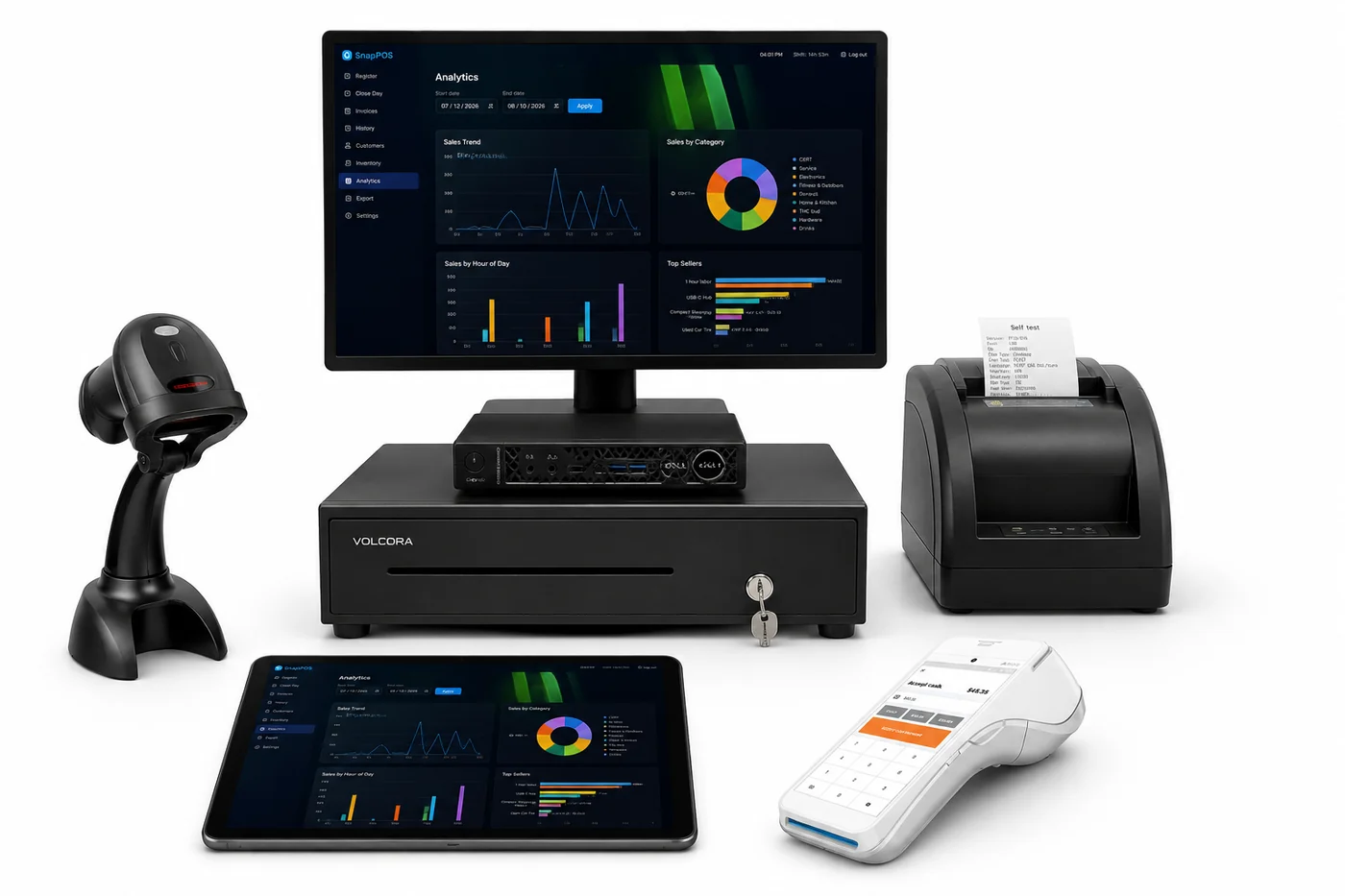
Modest, and probably already on your counter
Swipe to see the full table →
| Minimum | Recommended | |
|---|---|---|
| Operating system | Windows 10 (64-bit), Ubuntu/Debian, macOS 10.15+, Android 11+ | Windows 11, a current Linux LTS, the latest macOS, or a Samsung Galaxy Tab for the Android app |
| Processor | Dual-core — Celeron, Pentium, i3 or AMD equivalent | Quad-core — i3/i5 or Ryzen 3/5 |
| Memory | 4 GB | 8 GB |
| Storage | 64 GB, SSD strongly preferred | 128 GB+ SSD |
| Display | 1366 × 768 | 1920 × 1080, touchscreen |
| Power | — | A small UPS. A POS that loses power mid-sale is the most common cause of trouble |
Refurbished is fine
A Dell OptiPlex Micro, HP EliteDesk Mini or Lenovo ThinkCentre Tiny from the last decade runs this comfortably. An SSD matters more than the processor — the database makes constant small writes.
Scanner, printer, drawer
Barcode scanner
Any USB scanner in keyboard-wedge (HID) mode — which is how nearly all of them ship. No driver, nothing to install.
The test: scan a barcode into Notepad. If the numbers type themselves and the cursor jumps a line, it will work with SnapPOS.
- Budget USB models — Symcode, Tera, NADAMOO, Inateck
- Commercial — Zebra DS2208, Honeywell Voyager, Datalogic QuickScan
- Wireless and Bluetooth, as long as the dongle acts as a keyboard
Receipt printer
Any 80mm thermal printer your computer can print to, set as its default printer. SnapPOS prints through the operating system rather than driving the printer directly, so this is broader than systems that demand ESC/POS.
The test: if it prints a system test page, it prints receipts.
On the Android app, use a Bluetooth or network receipt printer (Wi-Fi or Ethernet), or print on the card terminal. USB receipt printers don't work with Android.
Common choices: Epson TM-T20 and TM-T88, Star TSP100/TSP143, Bixolon SRP-350, MUNBYN, Rongta. USB is simplest; network and Bluetooth work if the computer sees them as a printer. 58mm printers physically work, but receipts are laid out for 80mm.
Cash drawer
Any drawer that opens from the receipt printer's kick port — the standard arrangement, and the reason drawers are usually the cheapest part of a POS. The printer pops the drawer; SnapPOS never talks to it directly. Volcora, APG, Star and the generic 13" and 16" drawers all behave the same way.
Check this before buying: that your receipt printer actually has a drawer or kick port (RJ11/RJ12). Some inexpensive models leave it off, and a drawer has nothing to connect to without one.
Customer-facing display
A second monitor or touchscreen on the customer's side of the counter. Nothing to certify — if the computer can drive a second screen, it works.
Will my kit work?
Almost certainly. SnapPOS talks the standards these devices have used for decades rather than a proprietary protocol, so there is no approved-hardware list to buy from.
- Receipt printers — any ESC/POS printer, over the network, over USB, or through the browser's own print dialog
- Cash drawers — the standard kind that plugs into the printer and opens on the printer's kick pulse
- Barcode scanners — any USB or Bluetooth scanner that types like a keyboard, which is nearly all of them
- Scales — serial bench scales for anything sold by weight
- Card terminals — PAX and Ingenico devices on your own network
Not sure about a specific model? Send us the make and model and we will tell you straight, before you buy anything.
Checkout scales
SnapPOS reads weight over a serial connection, so a scale needs to present itself as a serial device. We fit and configure it as part of the install.
Mettler-Toledo Ariva-S-Mini
The standalone checkout scale we fit. NTEP and OIML approved — the certification you need to sell goods by weight — with a cast aluminium housing and stainless platter built for spills.
- Capacities: 30 lb, 15 lb, 15 kg, 6 kg or 240 oz
- Single or dual interval, for fine resolution on light goods
- Platform 6.3" × 7.9" — the smallest in its class
- Base or tower mount, backlit 5-digit display, tare and zero keys
How it connects
Either RS-232, or USB configured as a virtual COM port. Both present a serial port, which is what SnapPOS expects.
Not HID mode. The Ariva can also be set to HID or HID IBM, where it behaves like a keyboard. SnapPOS opens a serial port instead, so a scale left in HID mode will not be seen. We set this correctly at install — it only matters if you are wiring one up yourself.
Other NCI/Toledo-protocol bench scales are likely to work on the same path. Send us the model and we will confirm before you buy rather than after.
Card terminals are a certified list
Payment hardware is certified per device, so this one is specific. These are the terminals SnapPOS takes cards through — and unlike a Clover, they stay yours if you change processor. Both families support offline store & forward, so a patchy connection does not stop a sale.
PAX Android
- A920 Pro
- A920MAX
- A77
- A800
- A30
- A35
- A6630
- A6650
- A3700
- Aries8
- IM30
Ingenico AXIUM
- DX4000
- DX8000
- EX6000
- EX8000
- RX5000
- RX7000
Already have a terminal?
Send us the model. In many cases we can pair what you own rather than sell you another.
Certified device lists change. We confirm your exact model before you buy anything — see how card payments work.
Tell us what's on your counter
Send a list or a photo of what you already own. We will tell you what carries over and what does not — including when the answer is that you need nothing from us.