Nobody scans a biscuit.
Lite is the SnapPOS register rebuilt for a counter that serves food. The whole menu is on the screen as tiles, one tap rings an item, and the ticket is ready before the customer has finished ordering. $299 once, up to three tills, no monthly software fee.
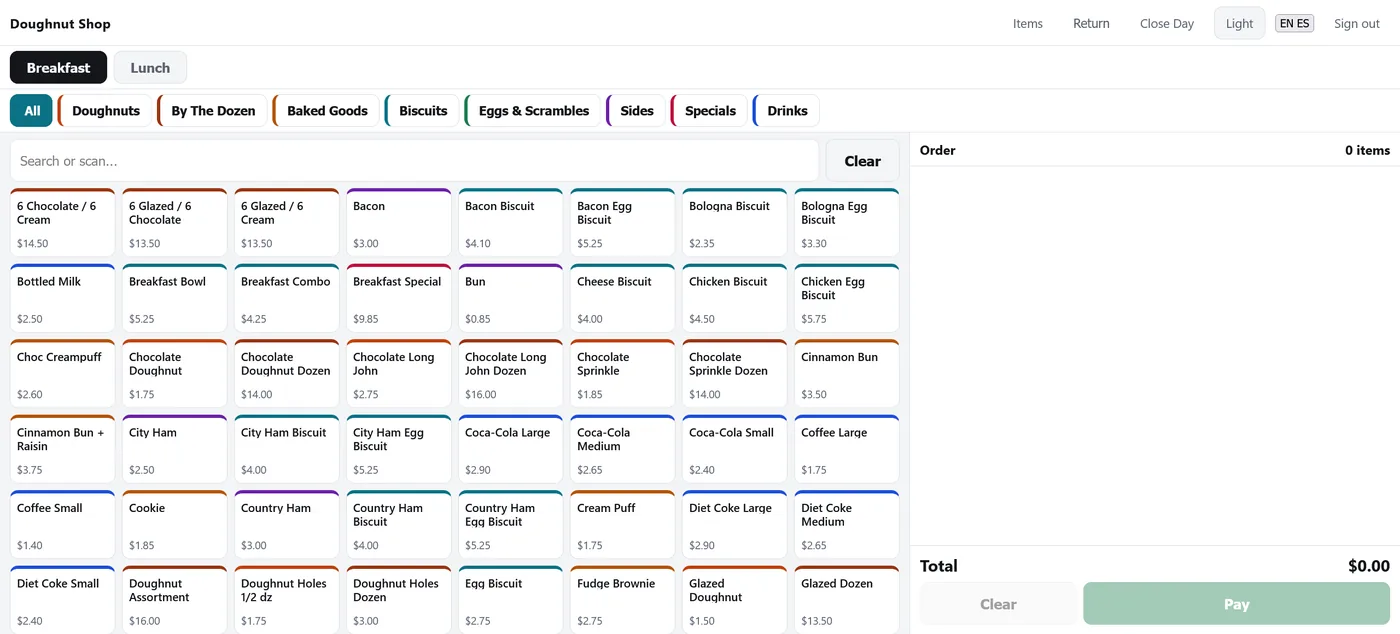
Same engine as the SnapPOS retail till, same certified card processing, same 30-day support. A different screen, because a kitchen counter is a different job.
Your whole menu, on one screen
A hundred and fifty items, and nothing scrolls
The category bar wraps to a second row rather than scrolling sideways, because a category you have to scroll to find is a category you cannot find at 6am. Tile density follows the size of the menu, so a truck running eight items and a bakery running a hundred and fifty both get a board that fits.
- Colour-coded categories — the colour on the chip is the colour on the tile
- Tap a tile again to add another; the line rolls up instead of repeating
- The search box stays, so packaged goods still scan like a barcode
- Made-to-order items are never stock-counted, so nothing blocks a sale
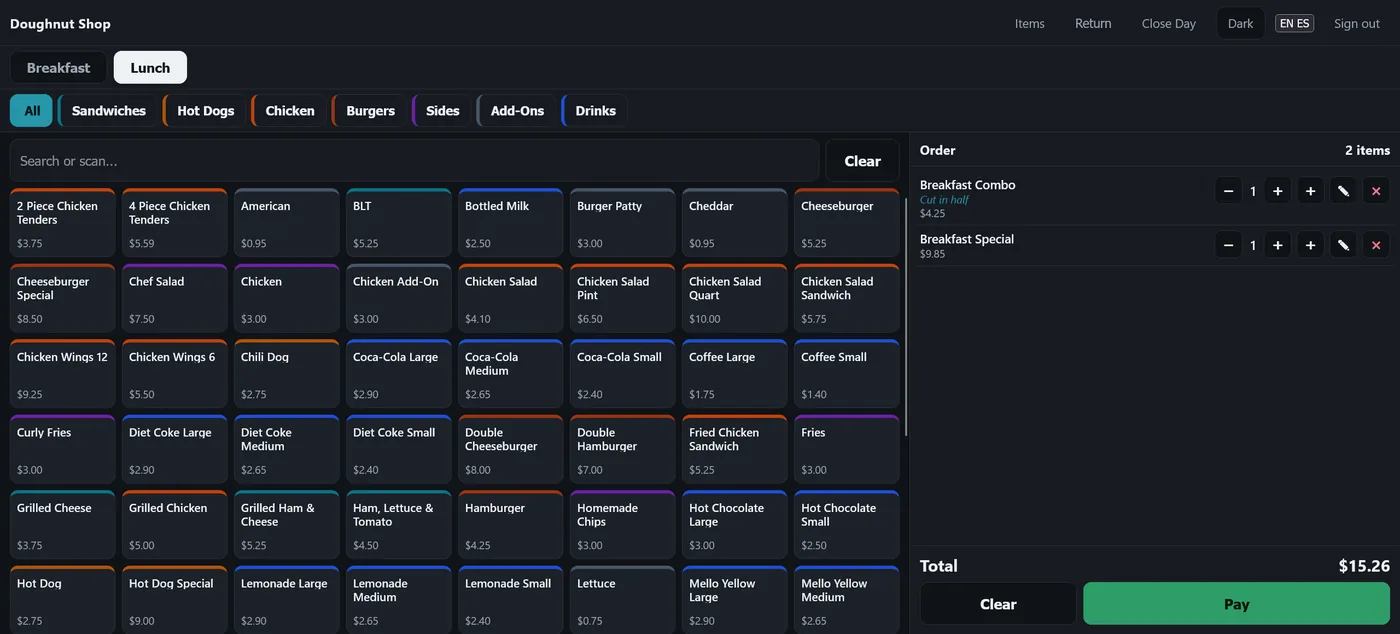
Breakfast in the morning, lunch after that
Two boards, one till
Set the hours and the register opens on the right menu by itself. It is a default and not a lock, so nobody is stopped from selling a biscuit at 3:05pm — the other board is one tap away all day.
- Run one menu and the toggle disappears entirely
- Two different Sides sections on two different boards, both correct
- The order pane shows every line, its note and the running total
- Pay is a balance, not a button — split tenders count down to zero
Tap the note. Don't build a rulebook.
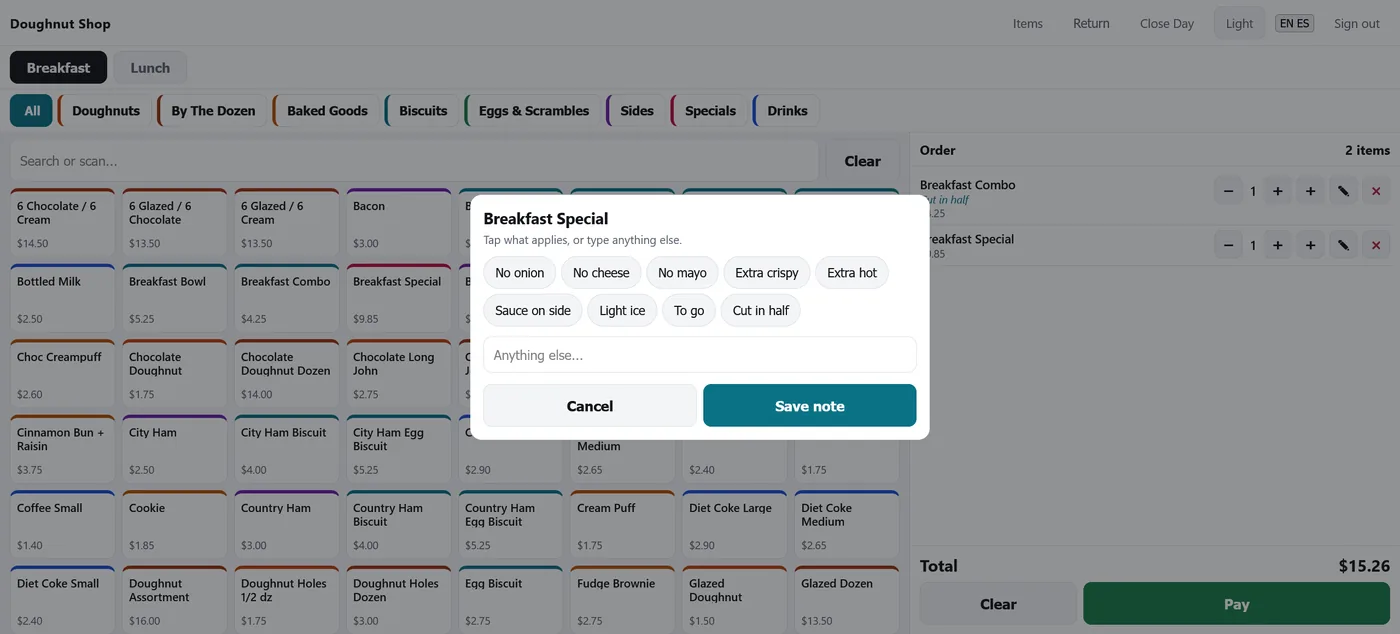
No onion, extra crispy, cut in half
The note lands on that line, which is the only thing that matters when two burritos are going out and only one of them has no onion. Chips are set per category and edited by the shop, because the useful answers for a burger and for a fountain drink have nothing in common.
- Tap a chip, or type anything else into the same box
- Paid extras are ordinary items — cheese at $0.95 rings as cheese
- An extra hangs off its dish, so voiding the dish takes it too
- No option groups, no required choices, no nesting to maintain
Your menu goes in once
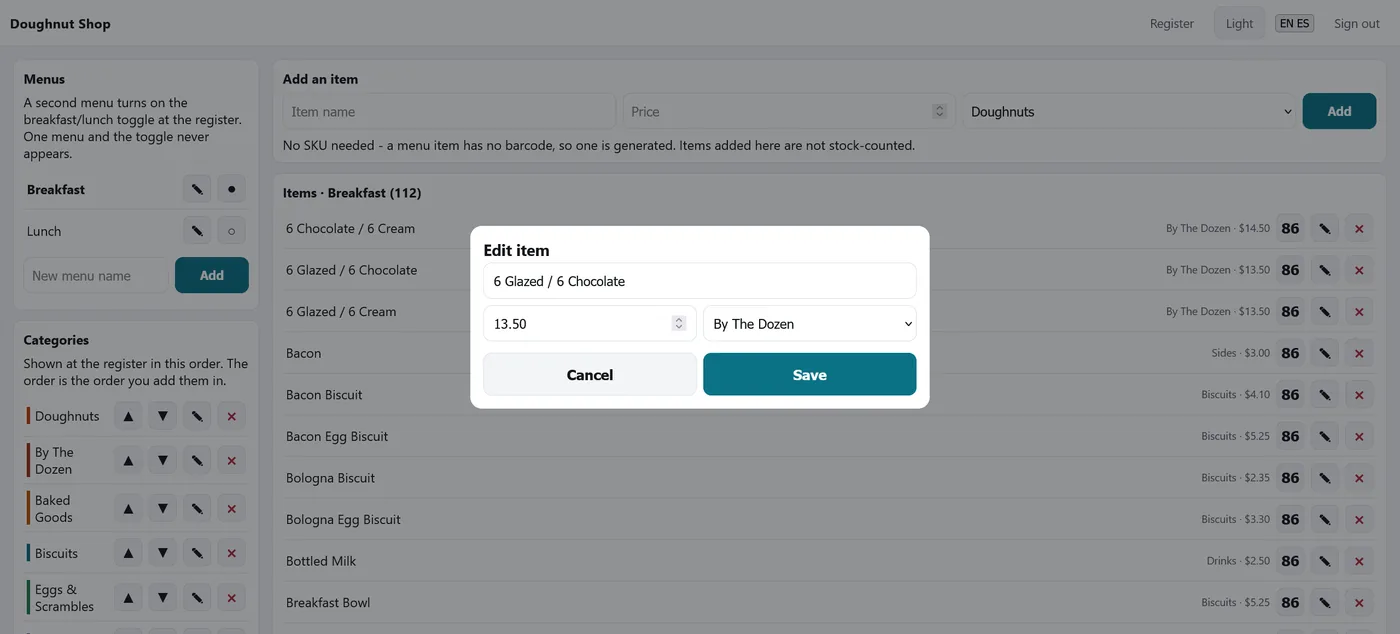
No SKU, no barcode, no problem
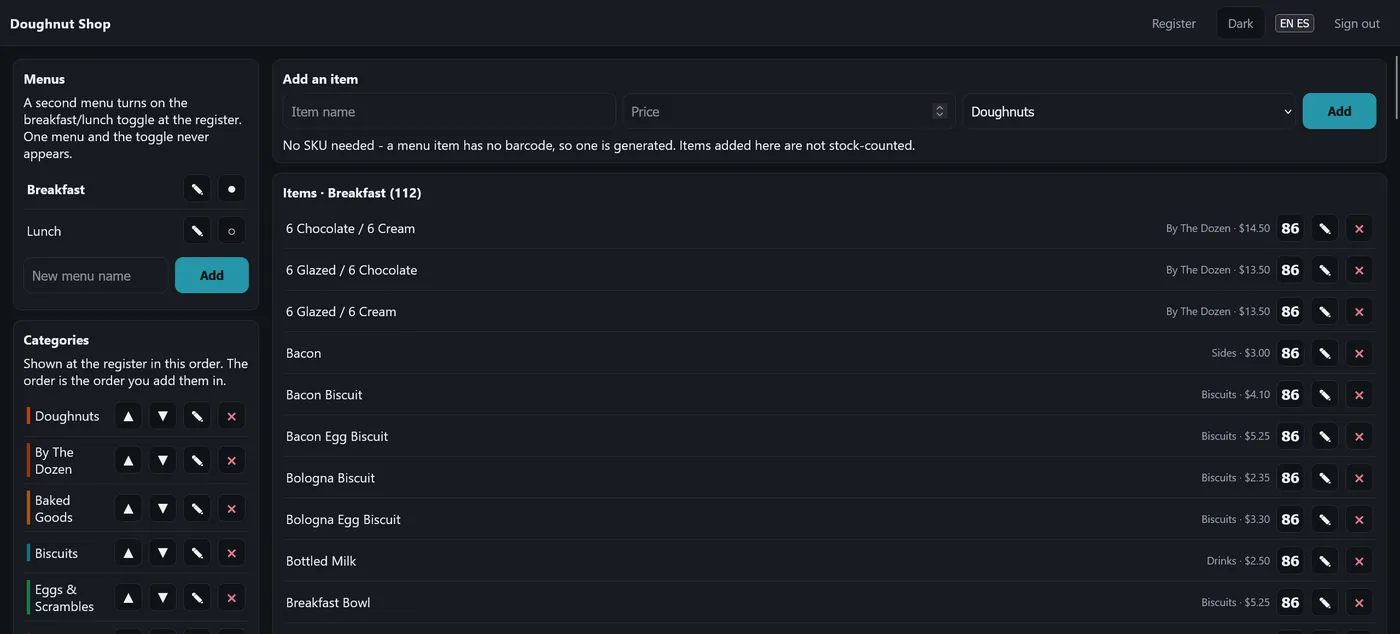
A biscuit has no barcode, so Lite generates one and leaves the item out of stock counting. Categories sit in the order you put them in, not alphabetically — the board should read like the board on the wall.
- Name, price, category — that is the whole form
- Bring a menu in by spreadsheet; we do it during the install
- Reorder categories with the arrows; the register follows immediately
- Sold out? Hit 86 and the tile goes off the board
Returns a cashier can actually reach
Look it up, give it back, close the day
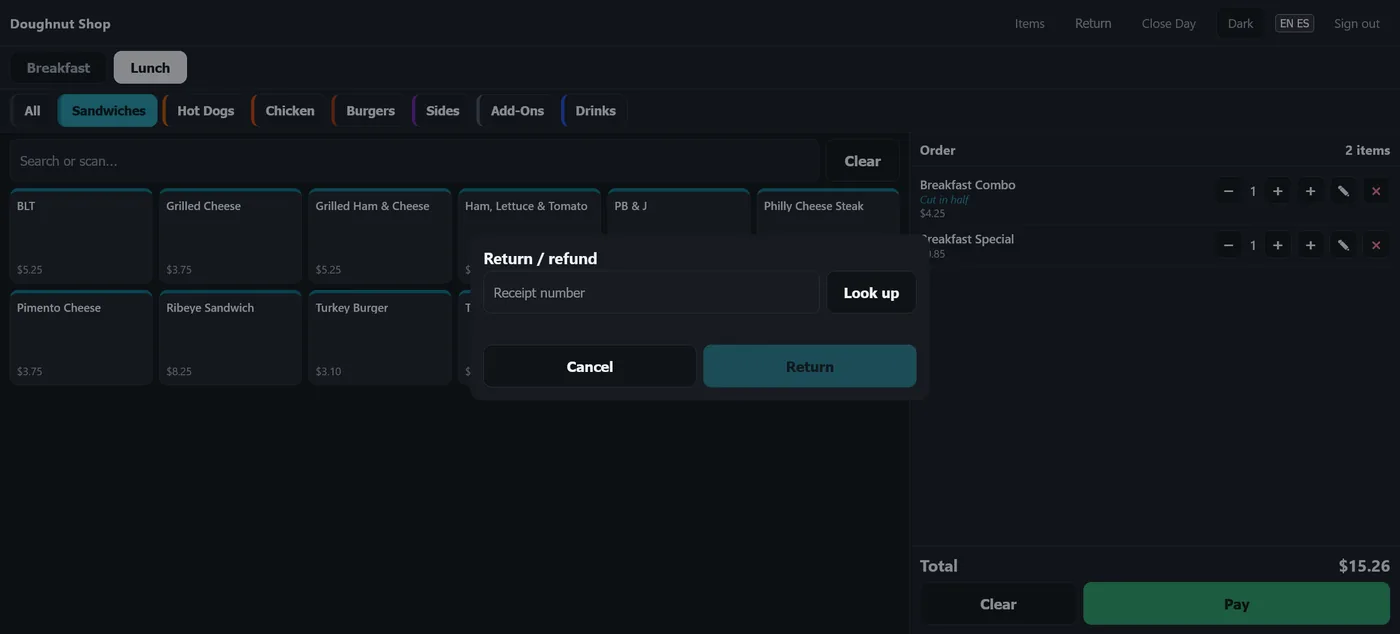
Type the receipt number and take back some or all of it. The refund follows how they paid — a card sale goes back to the card, cash comes out of the drawer — and the amount comes from the original sale, not today's price.
- Return is on the register bar, not buried in a manager screen
- Close Day counts the drawer and shows expected, actual and variance
- Every sale, void and refund is on the same audited history
It fits the room it's in
A dark board at 6am under service lights and a light one in a bright bakery are the same install. Staff switch it themselves, in English or Spanish, without calling anybody.
Light or dark, English or Spanish
The theme and the language are both on the top bar of every screen. Nothing is buried in a settings page, and neither one is a separate install to maintain.
- Runs on a touchscreen, a tablet or the PC you already own
- A tablet reaches the till over your own wi-fi — no cloud in the middle
- Kitchen receipts print over the network, or from the browser
- Up to three tills on one menu, included
The same certified path as the retail till
Lite takes cards through the same Datacap-certified processing the rest of SnapPOS uses, on the terminal you already have or one we supply. Card numbers never touch the register. And we stay processor-agnostic — Lite does not lock you to anybody.
Counters that make the food
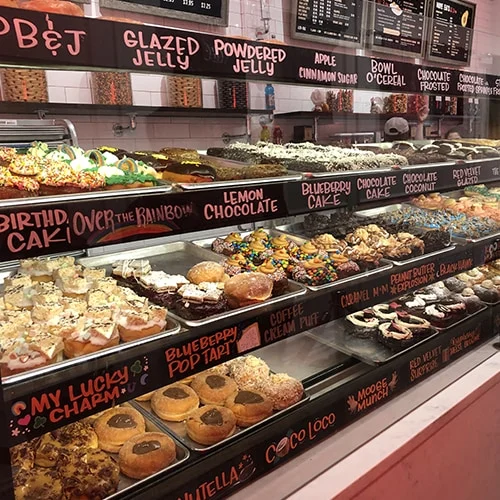
If your customer orders at the counter and somebody makes it to order, Lite is the right screen. A case like this one is eleven categories and a hundred and fifty items before anybody types a thing — the exact menu Lite was built and tested against. If you ring up packaged goods by barcode and count stock, you want Core or Pro instead.
Doughnut shops & bakeries
A big morning board, a by-the-dozen category and a second menu at lunch — the shape Lite was built and tested against.
Food trucks & trailers
Eight items in three categories, no menu row, no clutter. One tablet, and the same till you would run in a building.
Taquerías & counter service
Line notes in the language your kitchen reads, and a register your staff can switch to Spanish themselves.
Coffee & drink counters
Sizes are their own tiles, so a large and a small ring differently without a pricing engine to configure.
Delis & sandwich counters
Build-to-order without option groups: chips for the common changes, typing for everything else.
Concessions & pop-ups
A short menu, a busy hour and a drawer to reconcile at the end of it. Nothing to subscribe to between events.
$299 once, and your processor may cover it
That is the software, up to three tills, menu import and 30 days of local phone support. There is no monthly software fee and no per-till licence. If you are open to moving your card processing, most of the processors we work with will put money toward it — often enough to cover it outright.
What a processor contributes is their decision and varies by merchant and volume. $299 is what you pay if nothing is covered.
The questions we get
Does it do tables and tabs?
No, and that is deliberate. Lite is a counter-service register — order, pay, go. There are no tables, no seat splitting and no coursing, because building them would slow down the 6am rush this is designed for.
Can I start on Lite and move to Core later?
Yes. It is the same engine underneath, so your sales history comes with you. Talk to us first though — most kitchens that ask end up wanting a second Lite till rather than a retail one.
What happens if the internet goes down?
You keep selling. SnapPOS runs on the computer at your counter, not in a browser tab pointed at somebody else's server. Card authorisation needs a connection; cash never does.
I already have my menu typed up somewhere
Good — send it. A spreadsheet, a printed board, a photo of the wall. Getting your menu in is part of the install, not homework we leave you with.
Can I sell bottled drinks and packaged goods?
Yes. The search box scans barcodes exactly like the retail till, and packaged items can be stock-counted while made-to-order items are not.
Do I have to buy hardware from you?
No. Lite runs on a touchscreen, a tablet or the PC already on your counter. If you would rather we supply it, see the hardware page.
Show us your menu
Send the board, the spreadsheet or a photo of the wall and we will put it on a register so you can see your own menu before you decide anything.
Prefer email? sales@snappos.net